abc OCR

OCR table to Excel: turn a photo or PDF of a table into a spreadsheet

OCR turns a picture of a table into rows and columns. You have a table on paper or in a picture, and you do not want to type it into a spreadsheet cell by cell. abc OCR reads the table on your phone, keeps each cell in its row and column, and saves it as a file you can open in Excel, Google Sheets or LibreOffice.

Get it on Google Play
  • Works offline
  • No account
  • No ads
Turn a photo of a table into an Excel file on Android

How it works

  1. Scan the table
    1

    Scan the table

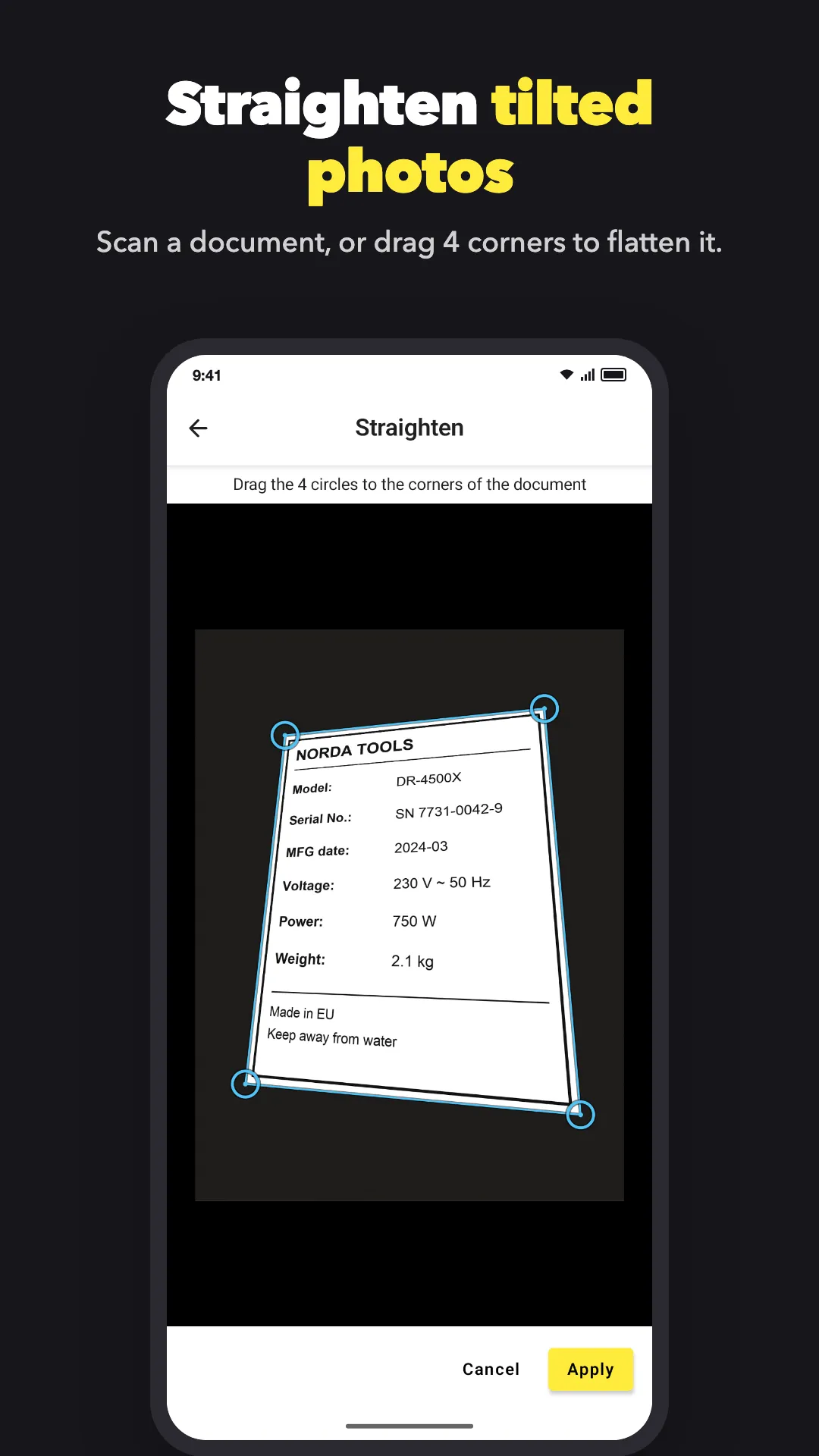
    Tap the yellow camera button. The scanner finds the page and straightens it. If you already have a photo, pick it from your gallery. If the photo is tilted, drag 4 corners to straighten it. Is the table in a PDF? Tap the PDF button on the home screen and pick the file.
  2. Check the grid
    2

    Check the grid

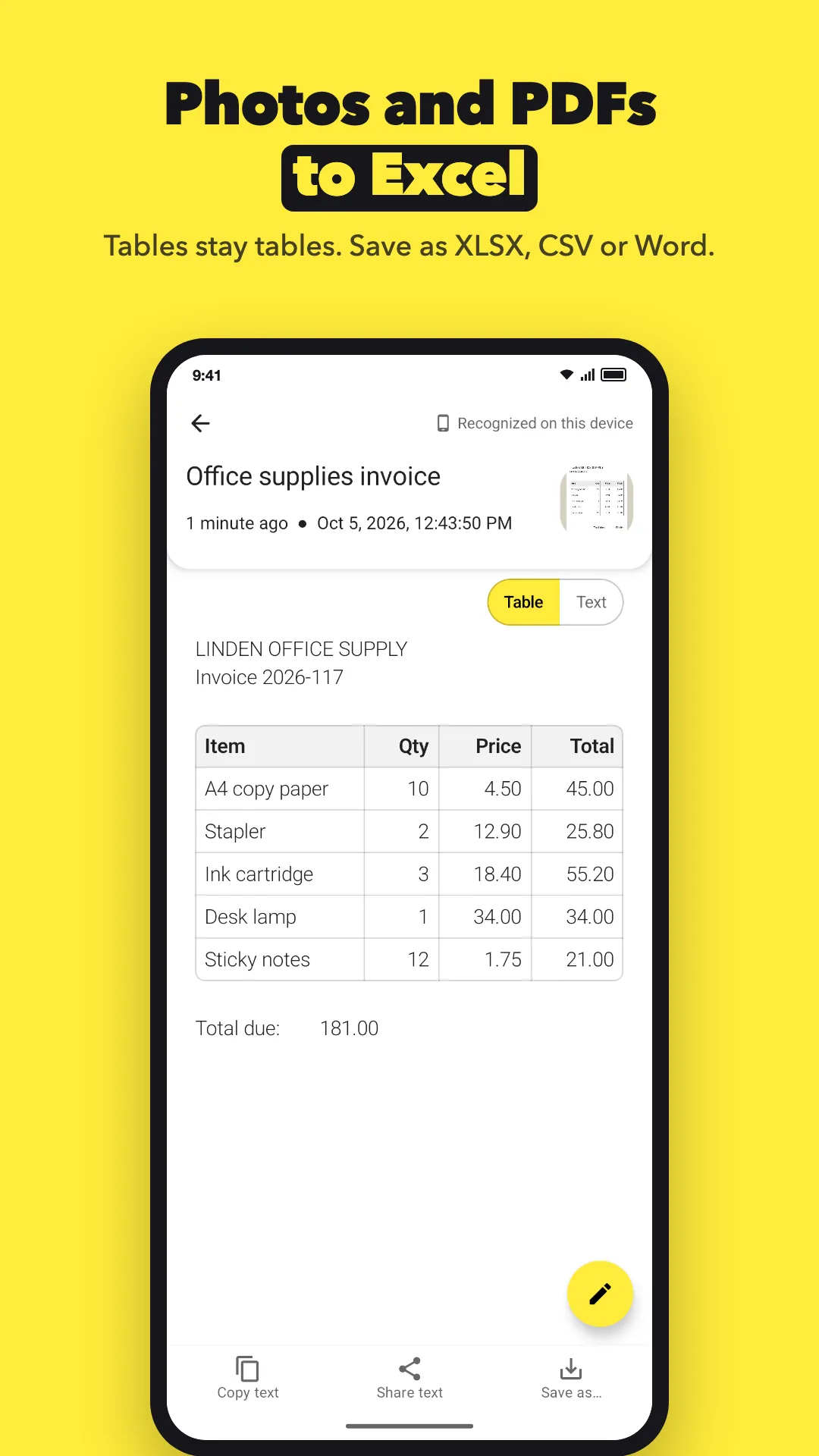
    The app finds the rows and columns. Empty cells stay empty. A table with 3 or more columns, or with a header row, is shown as a grid. Use the "Table / Text" switch to see the plain text. Tap the pencil to fix a cell before you save.

  3. Save as CSV or Excel
    3

    Save as CSV or Excel

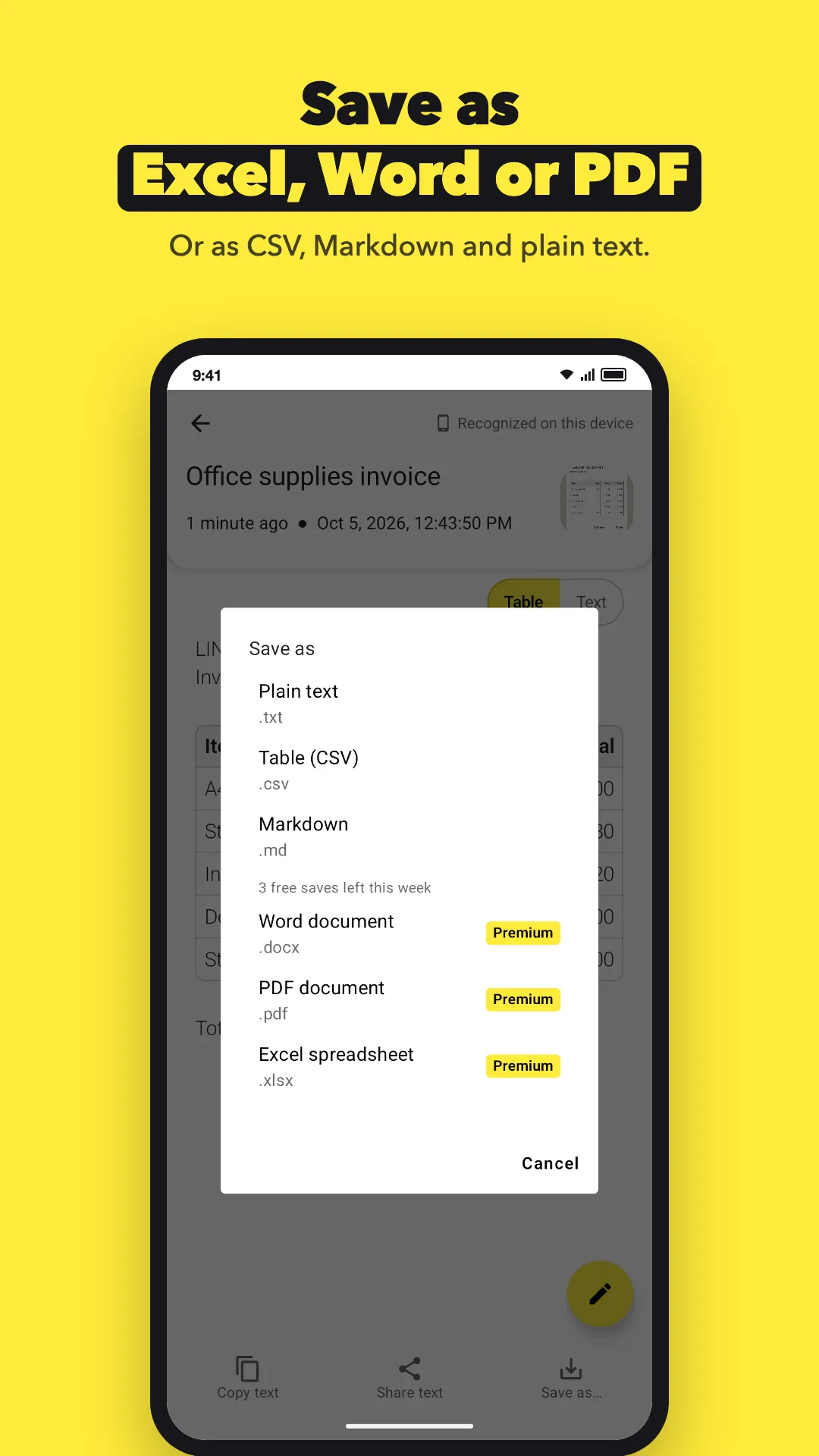
    Tap "Save as…" and pick a format. CSV is free and opens in Excel and Google Sheets. Excel (XLSX) is a Premium format; the free plan includes 3 XLSX, DOCX or PDF saves a week. Save to your phone, to Google Drive, or to a default folder.

What do you need it for?

Tell us what you are trying to do and where the app gets in your way. Many features started as one email. We read and answer every message.

Write to us

[email protected]

Questions

Is converting a table to Excel free?

Saving as CSV is free, and Excel opens CSV files. Saving as XLSX needs Premium after the 3 free saves of the week.

Does it need internet?

No, not for Latin text (English, Spanish, German, Polish and many more). The document scanner downloads once from Google Play services. Until then, you can take a photo or pick one from your gallery.

Can I open the file in Google Sheets?

Yes. Save the CSV or XLSX file to Google Drive, then open it in Google Sheets.

What if a cell is wrong?

Tap the pencil and edit the text. The gap between two cells is a tab. Keep it, so each cell stays in its column.

Can I save the table as a Word or PDF file?

Yes, with Premium or one of the 3 free saves of the week. Markdown and plain text are free.

Are my documents uploaded?

No. The table is read on your phone. Google ML Kit sends Google basic diagnostics, such as the device model and error codes, but never your images or text.

Try it on your phone

Free to download. No account. Android 8.0 or newer.

Get it on Google Play