Scan the whole pile
The scanner finds the edges, crops and straightens each page. Scan as many pages as you like. If they turn out to be several documents, Paperstack offers to split them and names each one.
Scan a letter, a contract or a whole pile of paper. Paperstack turns it into clean PDFs you can search, and keeps them on your phone. It works offline and doesn't even ask for internet access.
Get it on Google Play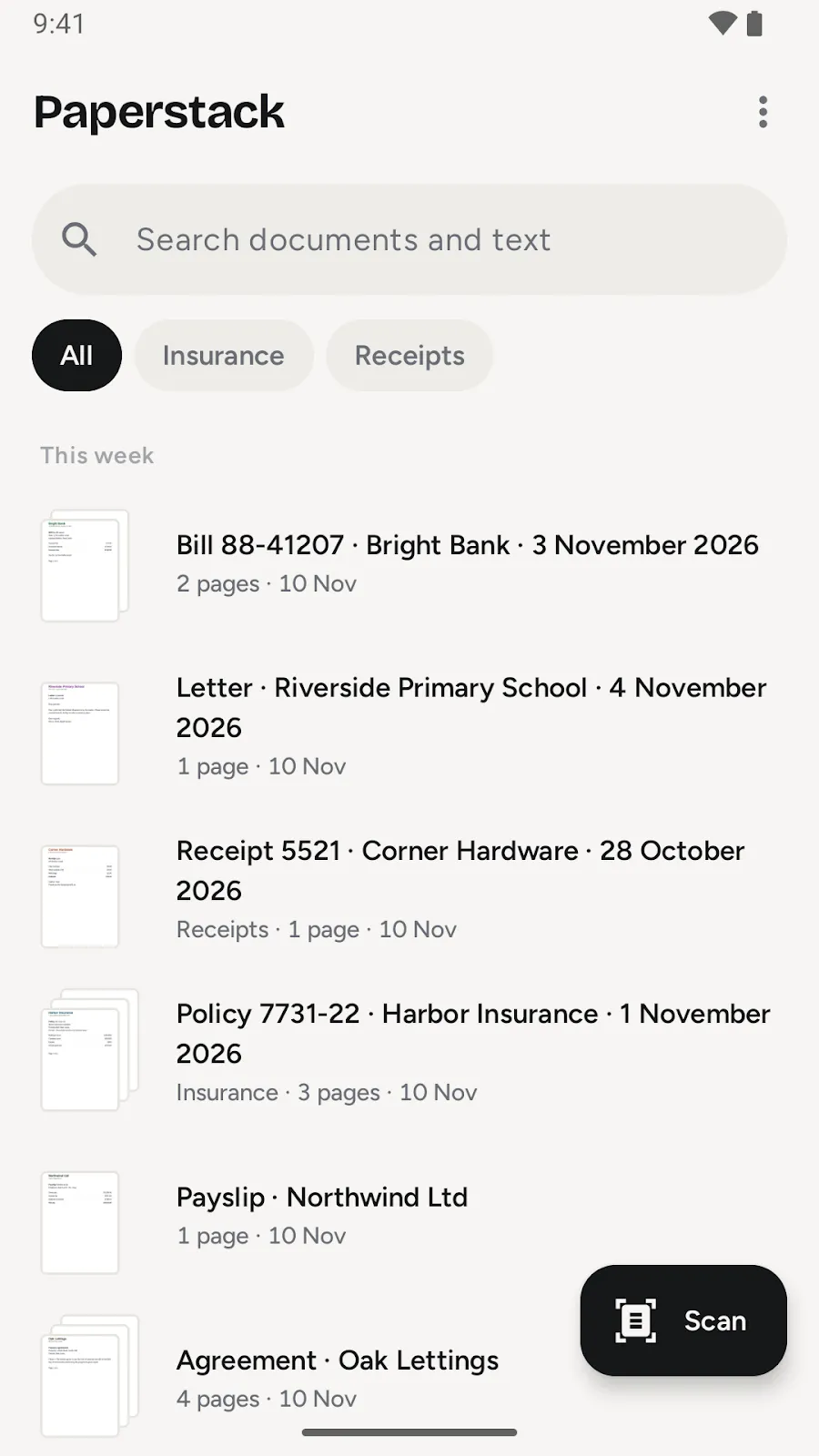
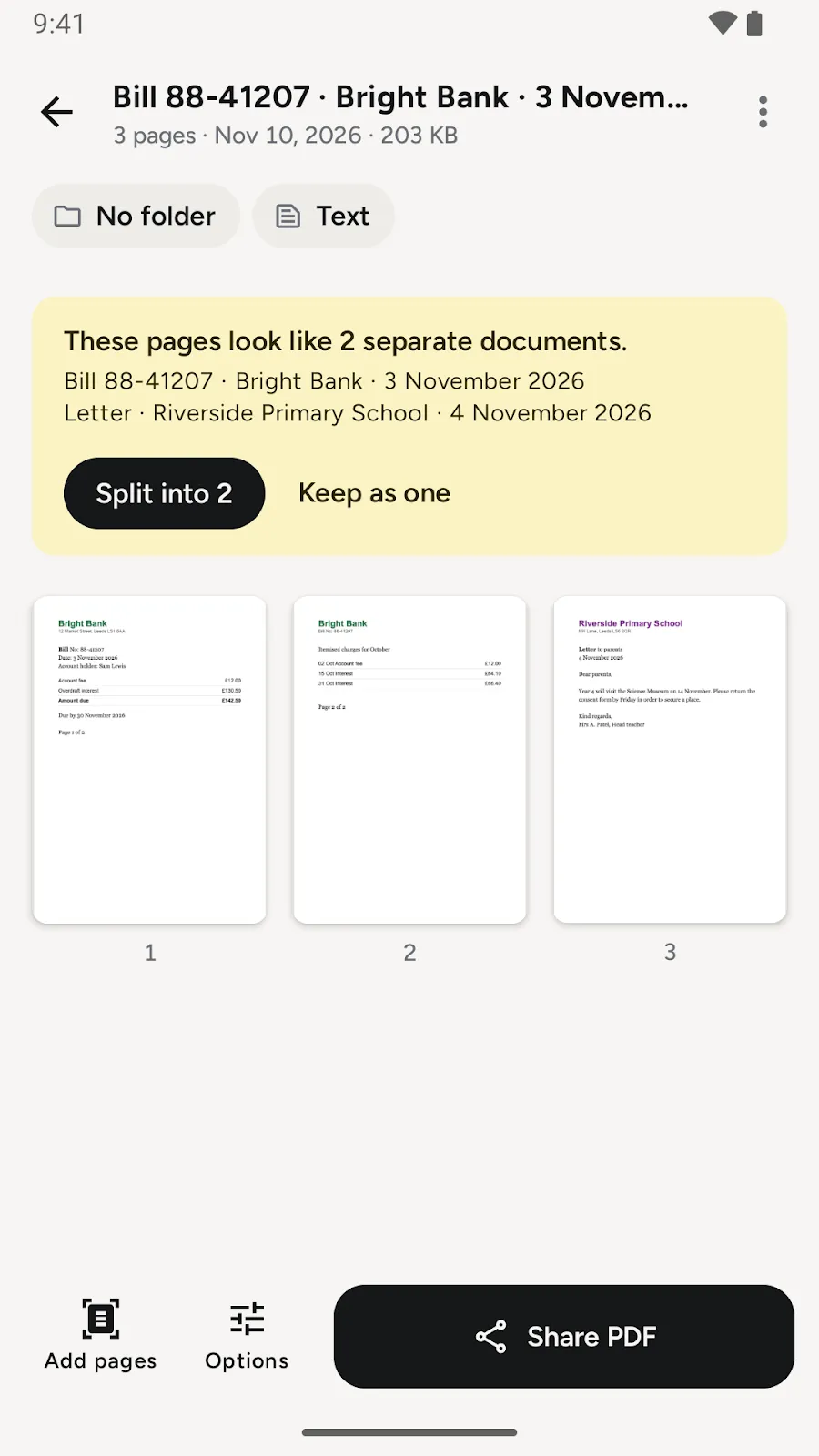
The scanner finds the edges, crops and straightens each page. Scan as many pages as you like. If they turn out to be several documents, Paperstack offers to split them and names each one.
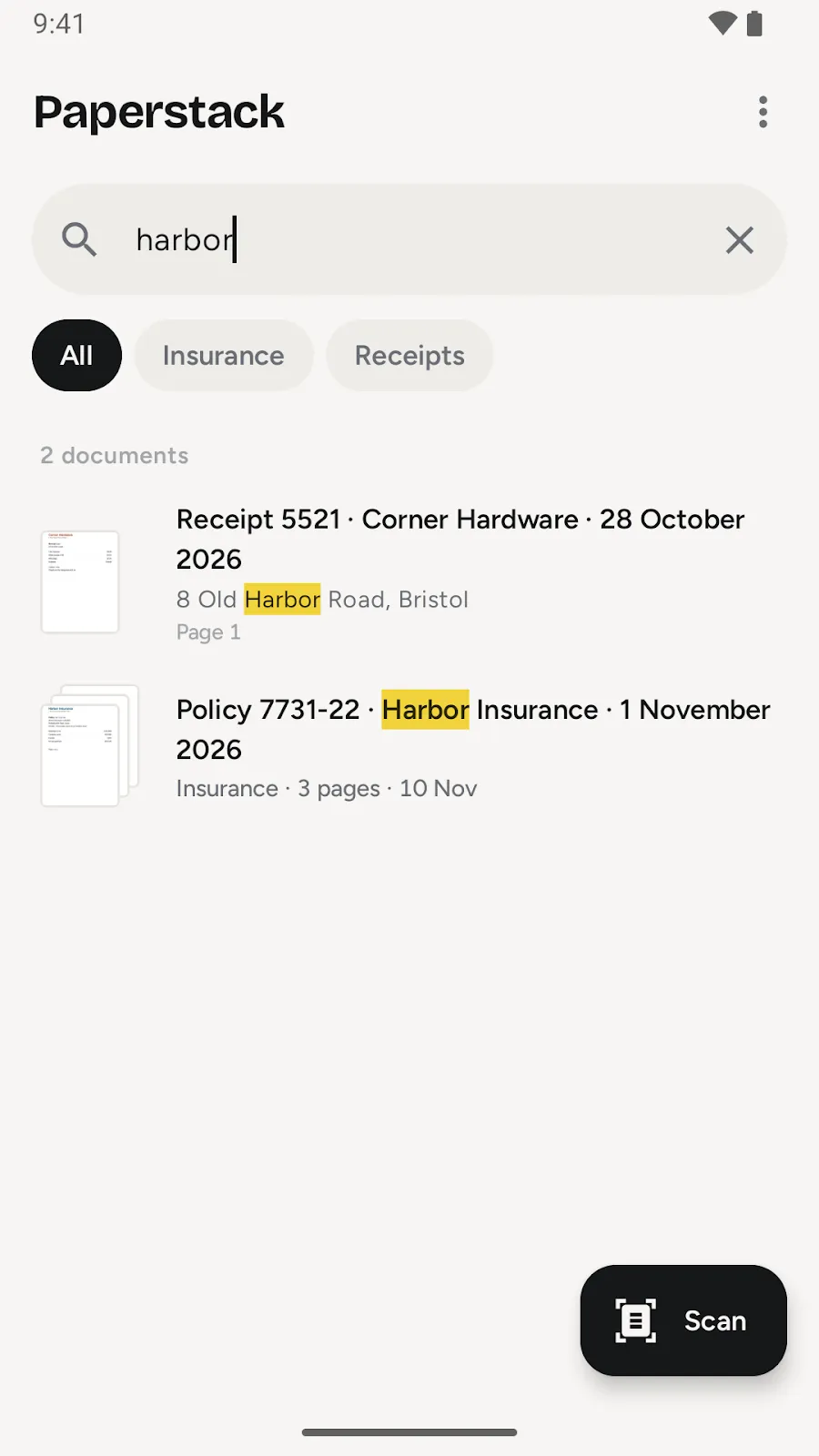
Every scan is searchable. Type a name, a word or a number from the page and the document comes up, with the match highlighted.
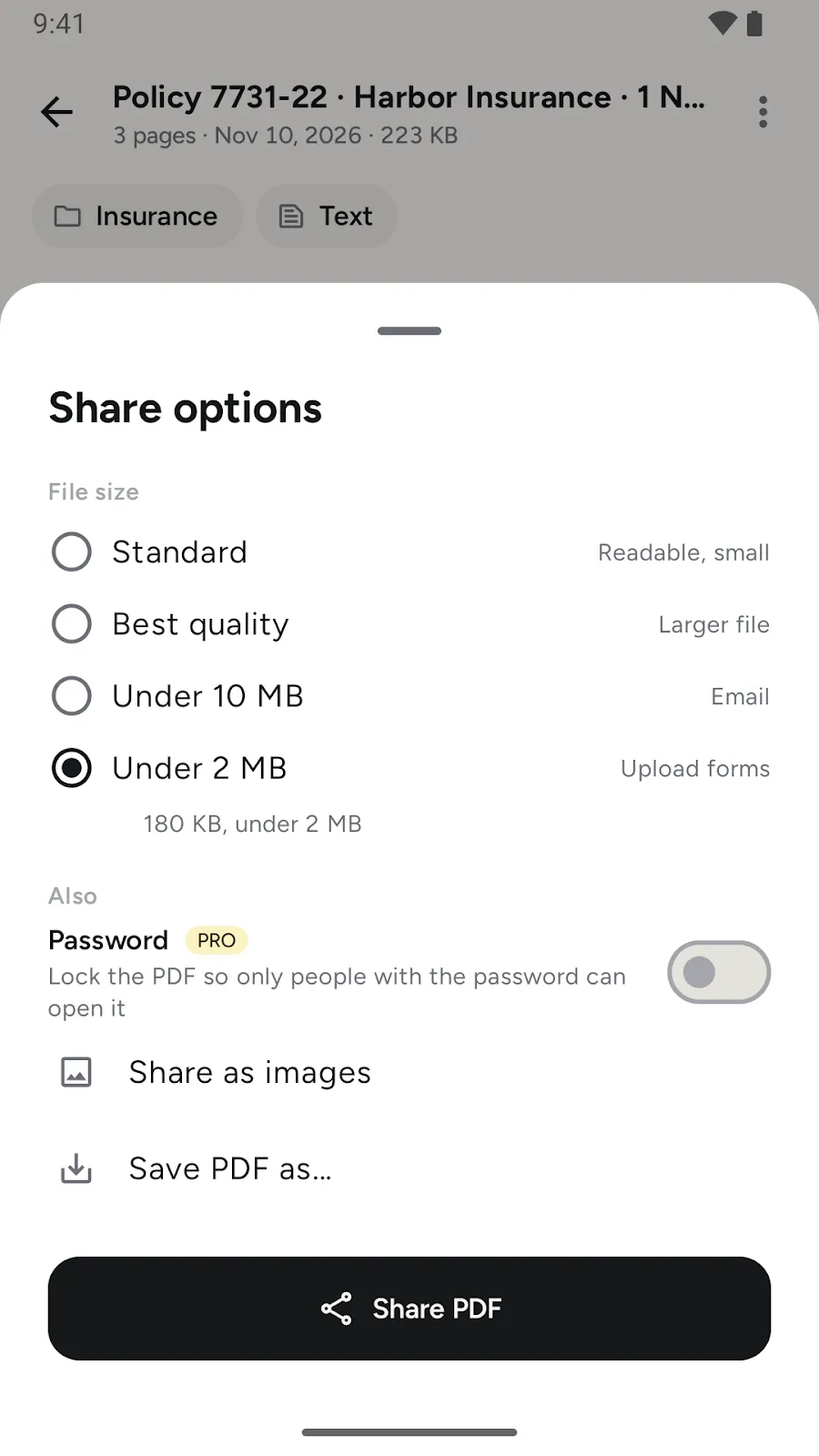
Share at standard or best quality, or under 2 or 10 MB for email and upload forms. If a file is still too big, Paperstack splits it into numbered parts instead of making it unreadable.
One payment, no subscription. Everything above stays free.
Tell us what you are trying to do and where the app gets in your way. Many features started as one email. We read and answer every message.
Write to usYes, fully. The app doesn't request internet access at all. Your documents stay on your phone until you share them.
Yes. You can search inside every scan in the app, and the PDFs you share have a text layer, so you can select and find text in any PDF viewer.
Scanning, organizing, searching and sharing are free, with no watermark. Paperstack Pro adds signing, passwords, redaction, filing rules and encrypted backup for a one-time payment. There is no subscription.
Yes. Scan both sides and Paperstack offers to put them on one page.
In the app's library on your phone. You can also save them straight into a folder you pick, like an SD card or a Nextcloud or other synced folder, automatically if you like.
Paperstack is on Google Play today. Want it on your iPhone? Write to [email protected] and we'll let you know when it's ready.
Free to download. No account. Android 8.0 or newer.